What is Docker?
Docker is an open-source platform for developing, running, and shipping applications. The isolation and security allow you to run many containers simultaneously on a given host.
Why do we need docker?
A)Consistency across environments
Suppose you developed one application with the help of docker successfully and it's working well on your system, and you hand over this (code and instructions) to a tester for testing. After testing the application, the tester said it won't work properly.
The developer developed the application using version 1.2 and tester used the version 1.0. It happens because of compatibility issues, OS settings, libraries, dependencies, and environment variables missing. So the solution for this is docker.
B)Improved Teamwork
Docker facilitates easier communication among development, testing, and operations teams. Version conflicts between teams are minimized by packaging the complete development environment into a container.
What is a Container📦?
Docker provides the ability to package and run an application in a loosely isolated environment called a container.
Main Components of the Docker
DockerFile 📄- A simple text file comes with instructions to build an image.
Example of dockerfile: This is a simple Dockerfile used to create a Docker image for a Node.js application. Let’s break it down step by step
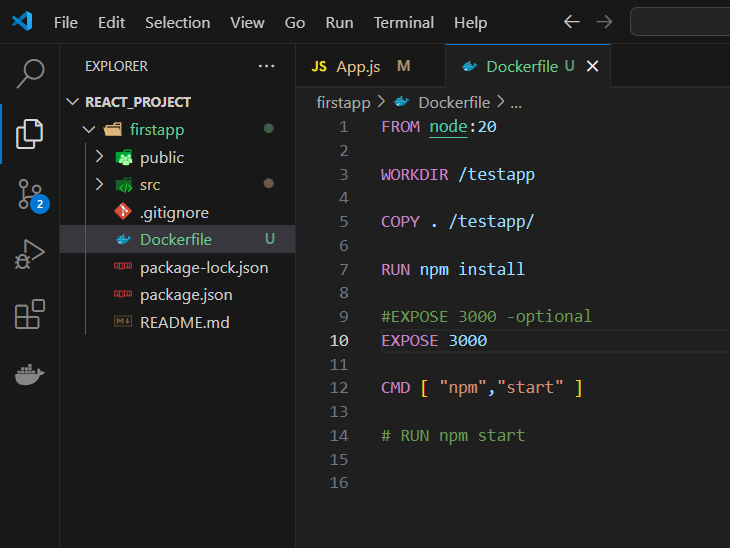
From node:20 - You are starting with the official Node.js image from Docker Hub, version 20. This base image comes pre-installed with Node.js and npm.
WORKDIR /testapp- With this command, the container's current working directory is created and set to /testapp. Any commands (COPY, RUN, etc.) will be executed relative to this directory. Docker will create the directory if it doesn't already exist.
COPY . /testapp/- This copies all the files and directories from the current directory (where the Dockerfile is located) on your local machine to the /testapp/ directory inside the container.
RUN npm install- This command runs npm install inside the container, which installs the Node.js dependencies listed in the package.json file.
Expose 3000 (Optional)- Notifies Docker that the container will be listening at runtime on the given port.
CMD [ "npm", "start"] - Specifies the command to run when the container starts.
Difference between RUN and CMD:
RUN is executed when the image is being built (e.g., installing dependencies).
CMD is executed when the container is started from the image (e.g., starting the app).
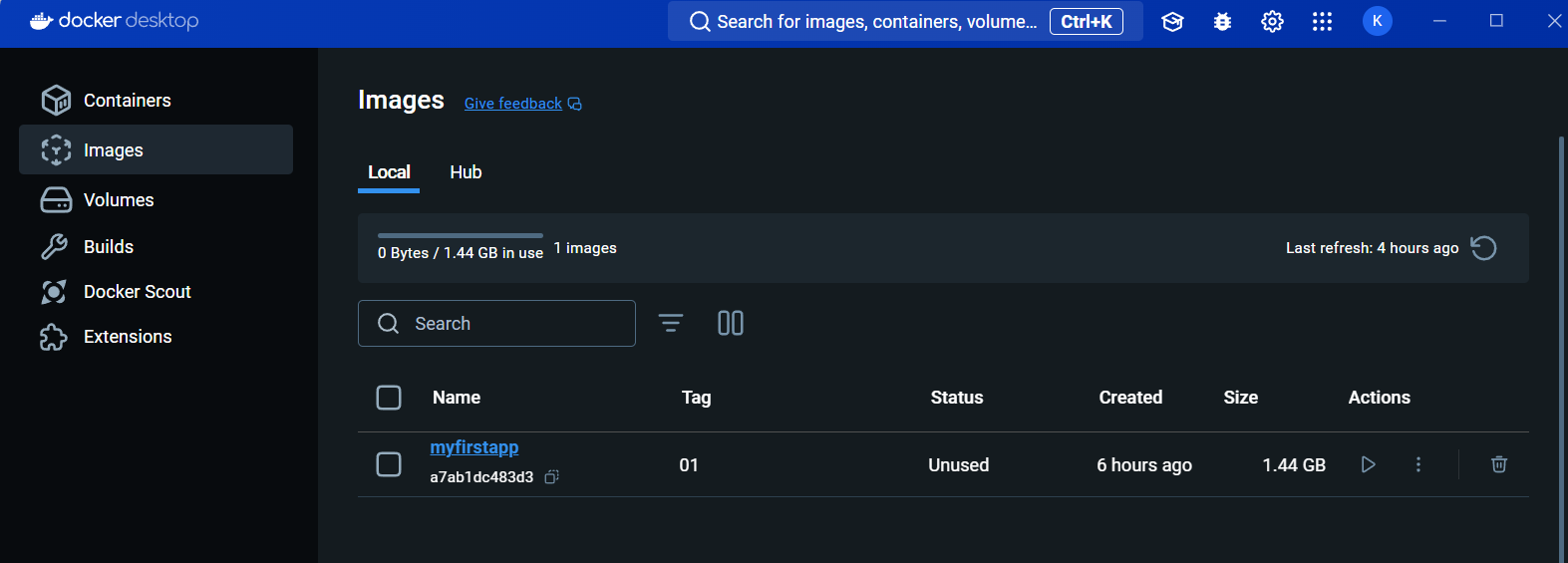
- Docker Image 🖼️- In Docker, everything revolves around the image. An image consists of a collection of files that pack together all the dependencies and libraries needed to set up a completely functional container environment.
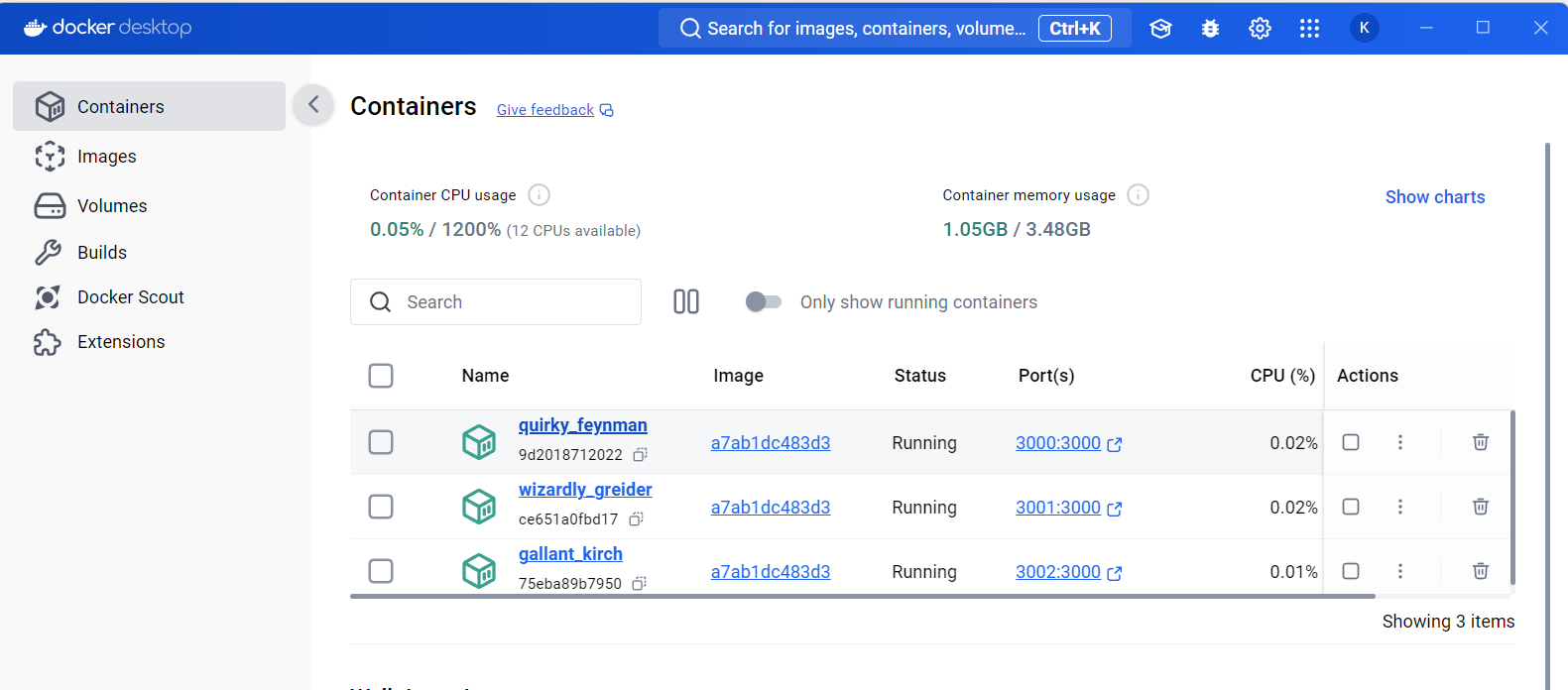
Docker Container 📦- It's an instance of a docker image.
Docker Registry📒- Images are stored in a docker registry such as a docker hub.


